
Opera launches Opera One R2 - the Best Opera Browser yet
Opera has released Opera One R2, its latest AI-powered browser version featuring enhanced AI capabilities and dynamic themes.
Sentiment and the balance of points
Rhea-AI Sentiment reads the wording of the document, how positive or negative its language is on a 1 to 5 scale. The balance of points shown with the takes weighs what the document actually discloses, so the two can disagree, for example when a trial that missed its main goal is described in upbeat language.
Rhea-AI Summary
Opera has released Opera One R2, its latest AI-powered browser version featuring enhanced AI capabilities and dynamic themes. The update introduces key features including Split Screen for simultaneous tab viewing, Tab Traces for tracking recent tabs, and detachable music & video controls. The browser incorporates advanced AI features like Image Generation, Image Understanding, and an improved Command Line interface with Aria AI assistant. Notable additions include Scandinavian-inspired dynamic themes with customizable animations, sounds, and a new glass UI design. Opera One R2 maintains its native ad blocker support and continues to support Manifest V2 extensions.
Positive
- Introduction of new AI features enhancing browser functionality
- Implementation of innovative user interface features (Split Screen, Tab Traces)
- Addition of customizable dynamic themes improving user experience
- Continued support for Manifest V2 extensions and native ad blocker
- Enhanced performance with up to 90% faster webpage loading through ad blocking
Negative
- None.
Insights
Opera's latest browser release represents a significant technological leap, particularly in AI integration and user interface innovation. The introduction of AI-powered features like enhanced Command Line capabilities, image generation and image understanding positions Opera competitively in the browser market. The new Split Screen functionality and Tab Traces address practical productivity needs, while dynamic themes with shader technology demonstrate technical sophistication.
The continued support for Manifest V2 extensions and native ad blocking is strategically important, especially as Chrome phases out Manifest V2 support. This could attract privacy-conscious users and those relying on ad-blocking extensions. The browser's modular design and performance improvements, including up to
AI-generated analysis. How Rhea-AI works. Not financial advice.



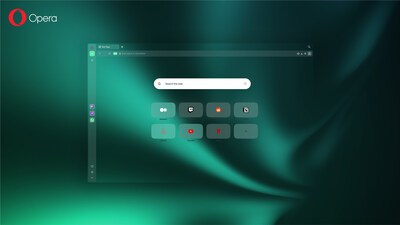
Opera One R2 features Opera's latest AI innovations. It also introduces dynamic themes that allow users to personalize their browsing experience with a static or animated interface, sound effects, and music.
With this release Opera is also introducing Split Screen and Tab Traces for enhanced tab management. With Split Screen, users can work in two tabs simultaneously, while tab traces provide visual cues of the most recently visited tabs. Additionally, the detachable music & video controls allow users to move their Music Player and Video Popout window around the screen for convenient access.
"The browser of the future will be vastly different from the one we use today. Opera One R2 is our first step towards the future of browsing," said Joanna Czajka, product director at Opera, who leads Opera One R2. "As the ultimate browser nerds, we're happy to be shipping our best-looking browser with the most comprehensive AI features today."
Latest AI features in Opera One R2
With this release, Opera is gathering the best AI Features that have been tested throughout the year in the Developer stream of the browser, and bringing them to Opera One R2.
Opera One R2 users can benefit from a more powerful Command Line interface that takes Aria's capabilities out of the chat box – making them easier to get to. When users open the Command Line – by pressing Ctrl+/ or Cmd+/ – they can then press the Tab key to enter the Page Context mode. This mode allows them to utilize Aria to help them summarize a webpage's topic, analyze an article, or even help them compare products when shopping online.
Other AI features in Opera One R2 include Image Generation and Image Understanding. These features – as their names suggest – provide Aria with the capability to generate images as well as understand them. Users can prompt Aria to generate images from the Command Line or the sidebar chat.
Additionally, users can upload pictures in the sidebar chat where Aria can explain what's in the image. These two features can even be used jointly – Aria can generate things based on the images that users upload. For example, they can upload a sketch of a landscape and ask Aria to create a realistic version of it. Opera has also made Aria available to users without the need to log in.
Dynamic themes and glass UI
Opera One R2 comes with a set of innovative, dynamic, Scandinavian-inspired themes. Powered by shader-technology, and created on the user's machine, these themes go beyond simple color changes or background images, offering a complete transformation of the browser's look and feel. Users can enjoy live-generated animations or static backgrounds, customized UI colors, and even browser sounds and music. The Midsommar theme, for example, features background music, and more immersive themes are planned for future releases. The Opera UI is undergoing a transformation through the new frosty glass UI design available in the Midsommar theme. This adds another layer of customization, allowing the UI to blend seamlessly with the background of this theme.
There are three themes being released with Opera One R2: the Classic theme, the Midsommar theme, and the Aurora theme. They all come with a multi-dimensional color picker, which allows users to experiment with countless combinations to find the perfect look for their browsers. They can even adjust the intensity of the live-generated animations.
Opera continues to innovate with tabs
Back in the year 2000 Opera introduced tabs to a browser for the first time, and last year the company released the Tab Islands feature – which helps users group tabs intuitively. Now, Opera One R2 is releasing two new features that improve the way users interact with their tabs: Split Screen and Tab Traces. The former allows users to join two tabs and divide their screen into halves to have them open at the same time. The latter gives users subtle visual cues about their five most recently visited tabs – they leave traces. Tab traces are available to users with more than thirty tabs open.
Detachable music & video player controls highlight Modular Design
Opera One R2 comes with new ways of controlling music & videos: the redesigned Music Player can now be detached and moved around the screen, without interrupting a user's browsing.
The detachable video player also works with video calls, making it even better for those constantly in calls. And for those listening to music before joining a Google Meet, the music automatically fades out and pauses for the duration of the call, resuming after.
Continued native ad blocker support
Opera's ad blocker has been built right into the browser since 2016, allowing users to browse uninterrupted and keeping intrusive ads at bay. It doesn't require any additional installation and can be customized according to the user's preferences. Using the ad blocker makes the browser cleaner, safer, and more private – as well as snappier, since web pages load up to
Download Opera One R2 and experience the future of browsing
Opera One R2 brings together Opera's innovation efforts within the world of AI and tab management, with a revamped look. This represents a further step towards the future of browsers. Users can now experience the best browser Opera has created to date. It's available for free and can be downloaded here.
About Opera
Opera is a user-centric and innovative software company focused on enabling the best possible internet browsing experience across all devices. Hundreds of millions use Opera web browsers for their unique and secure features on mobile phones and desktop computers. Founded in 1995 and headquartered in
 View original content to download multimedia:https://www.prnewswire.com/news-releases/opera-launches-opera-one-r2--the-best-opera-browser-yet-302284462.html
SOURCE Opera Limited
FAQ
AI-generated questions and answers. How Rhea-AI works. Not financial advice.