
Docusign Introduces PDF Editor to Simplify the Path from Document Preparation to Signature
Docusign (DOCU) announced a PDF Editor desktop application that connects document preparation with its signing workflow and agreement management platform.
Sentiment and the balance of points
Rhea-AI Sentiment reads the wording of the document, how positive or negative its language is on a 1 to 5 scale. The balance of points shown with the takes weighs what the document actually discloses, so the two can disagree, for example when a trial that missed its main goal is described in upbeat language.
Rhea-AI Summary
Docusign (DOCU) announced a PDF Editor desktop application that connects document preparation with its signing workflow and agreement management platform. Users can edit text and images, combine files, redact sensitive information and send documents into the signing workflow without manually uploading them. Changes before signing remain connected to the agreement history, and editing is locked once a document is signed.
The application will be available for IAM and eSignature customers to purchase starting November 2, 2026, in English, Dutch, French, German, Italian and Spanish. Additional languages are planned for 2027.
AI-generated analysis. How Rhea-AI works. Not financial advice.




New Docusign PDF Editor makes it easier to create, edit, and prepare contracts – key steps of the agreement process
Contracts don't start with a signature, and they don't end there. But preparing and signing a document often happen in separate workflows. Even a small change can mean opening another tool, editing the file, exporting a new version and uploading it again before the agreement can move forward. With more than
Docusign PDF Editor simplifies that process by giving users powerful PDF editing capabilities and a direct integration into Docusign – the company
"You shouldn't have to jump in between tools just to get a contract ready for signature," said Graham Sheldon, Chief Product Officer at Docusign. "With Docusign PDF Editor, you can now edit your PDF, send it for signature, and manage the contract afterward. It's the newest way we're bringing the entire agreement process together with Docusign IAM."
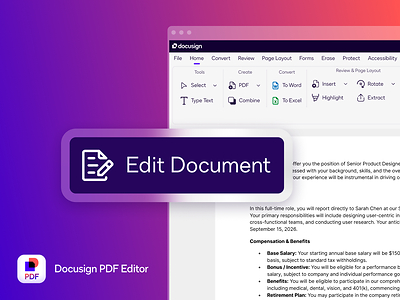
Docusign PDF Editor is a desktop application designed for teams across legal, sales, procurement, HR and more. With Docusign PDF Editor, users can:
- Create and edit PDFs: Edit text and images, combine files, reorder or delete pages, redact sensitive information, add annotations, create forms, and convert file types.
- Move directly to signature: Once a document is ready, send it into the Docusign signing workflow without manually having to upload documents.
- Preserve a full auditable record: Changes made before signing remain connected to the agreement history. Once a document is signed, editing is locked to preserve its integrity.
- Manage agreements after signing: Once signed, agreements are analyzed using AI in Docusign, where teams can quickly answer contracting questions, track key dates like renewals, and surface potential risks and other insights.
With all of these capabilities available directly in the Docusign workflow, Docusign PDF Editor can help businesses reduce manual handoffs, simplify how they manage everyday document work, and reduce the opportunity for version confusion or sensitive documents moving unnecessarily between multiple tools. With PDF Editor, Docusign is expanding its platform with powerful PDF editing, bringing document preparation together with its existing capabilities for creating, signing and managing agreements.
Availability
The Docusign PDF Editor desktop application will be available for IAM and eSignature customers to purchase starting on November 2, 2026 in English, Dutch, French, German, Italian, and Spanish with additional languages planned for 2027.
About Docusign
Docusign brings agreements to life. Over 1.9 million customers and more than a billion people in over 180 countries use Docusign solutions to accelerate the process of doing business and simplify people's lives. With intelligent agreement management, Docusign unleashes business-critical data that is trapped inside of documents. Until now, these were disconnected from business systems of record, costing businesses time, money, and opportunity. Using the Docusign AI-native IAM platform, companies can create, commit, and manage agreements with solutions created by the #1 company in e-signature and contract lifecycle management (CLM). For more information, visit http://www.docusign.com.
Media Contact:
Docusign Corporate Communications
media@docusign.com

 View original content to download multimedia:https://www.prnewswire.com/news-releases/docusign-introduces-pdf-editor-to-simplify-the-path-from-document-preparation-to-signature-302901661.html
SOURCE Docusign, Inc.
FAQ
AI-generated questions and answers. How Rhea-AI works. Not financial advice.
When will Docusign PDF Editor be available to purchase?
Docusign PDF Editor will be available for IAM and eSignature customers to purchase starting November 2, 2026. The desktop application will initially support English, Dutch, French, German, Italian and Spanish, with additional languages planned for 2027.